Installing and Using Ripes
Ripes is a visual simulation tool for the RISC-V architecture. Unlike Logisim Evolution (which focuses on circuit-level simulation), Ripes operates at the microarchitecture and instruction level, making it ideal for understanding:
- how instructions execute inside a CPU
- differences between single-cycle, multi-cycle, and pipelined CPUs
- coordination between registers, the ALU, control signals, and the datapath
Ripes includes multiple RISC-V CPU models and supports cycle-by-cycle / stage-by-stage visualization.
Installation
Section titled “Installation”Ripes provides prebuilt releases for Windows, Linux, and macOS. Download them from:
This manual uses Ripes 2.2.6.
Linux (AppImage)
Section titled “Linux (AppImage)”On Linux, Ripes is distributed as an AppImage. After downloading, mark it executable and run it directly:
chmod a+x Ripes-<version>.AppImage./Ripes-<version>.AppImageWindows (VC++ runtime)
Section titled “Windows (VC++ runtime)”On Windows, Ripes requires the Microsoft Visual C++ runtime. If you see errors like msvcp140.dll missing, install the Microsoft Visual C++ Redistributable from Microsoft’s official website and restart Ripes.
Interface overview
Section titled “Interface overview”See Figure 1.2 for an overview of the Ripes interface.
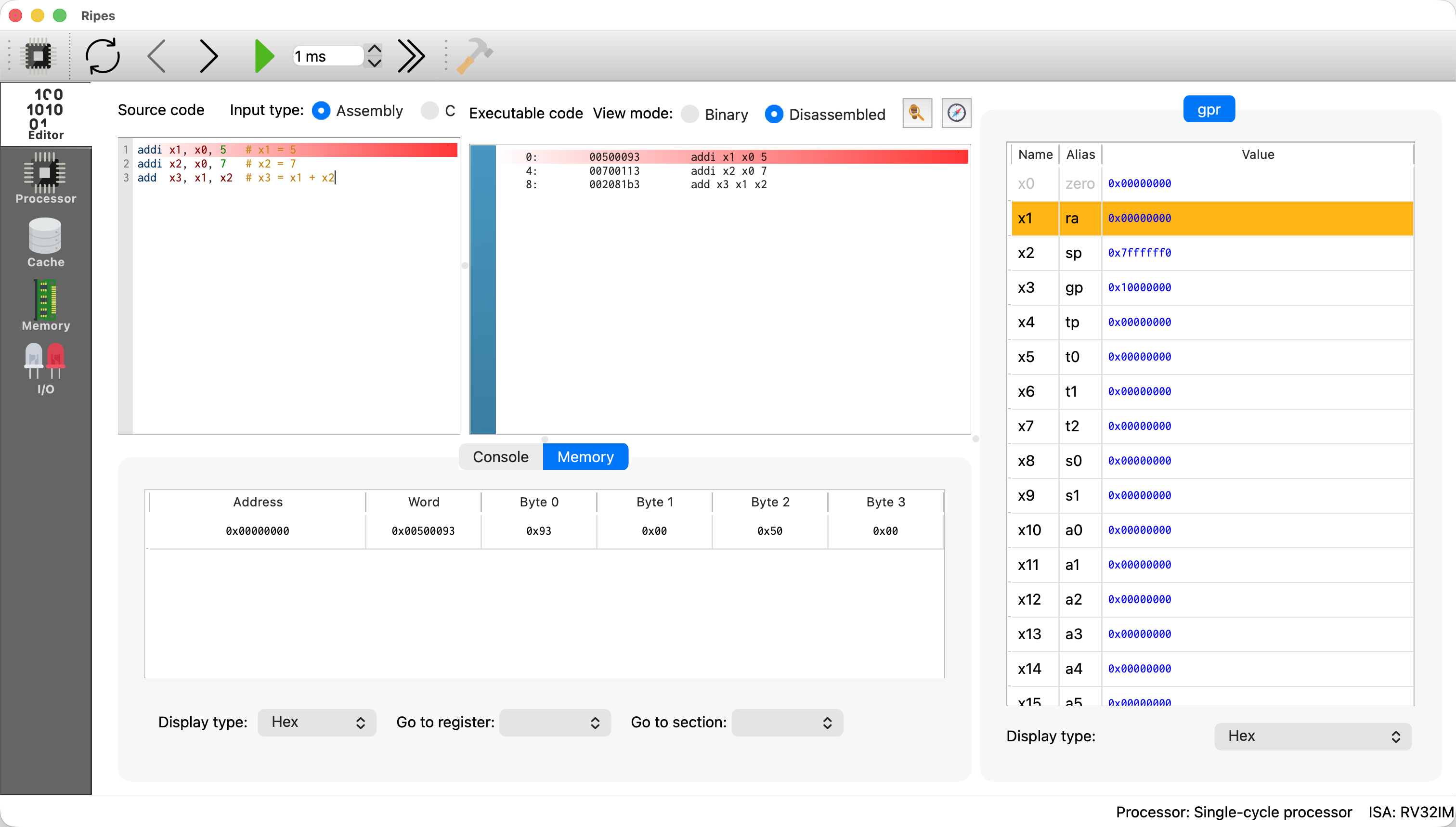
Figure 1.2: Ripes graphical interface.
Ripes consists of multiple views (switchable in the left sidebar), including:
- Code editor: write and view RISC-V assembly programs
- Processor view: visualize the CPU datapath or pipeline
- Cache view: visualize cache structure
- Memory view: inspect how code/data are laid out in memory
- I/O view: configure and interact with devices such as an LED matrix
These views allow you to observe instruction execution inside the CPU.