Ripes Cache View & Config
Ripes provides a configurable and visual cache simulator. By changing cache parameters and running small programs, you can observe hits/misses, fills, evictions, and statistics.
Cache configuration parameters
Section titled “Cache configuration parameters”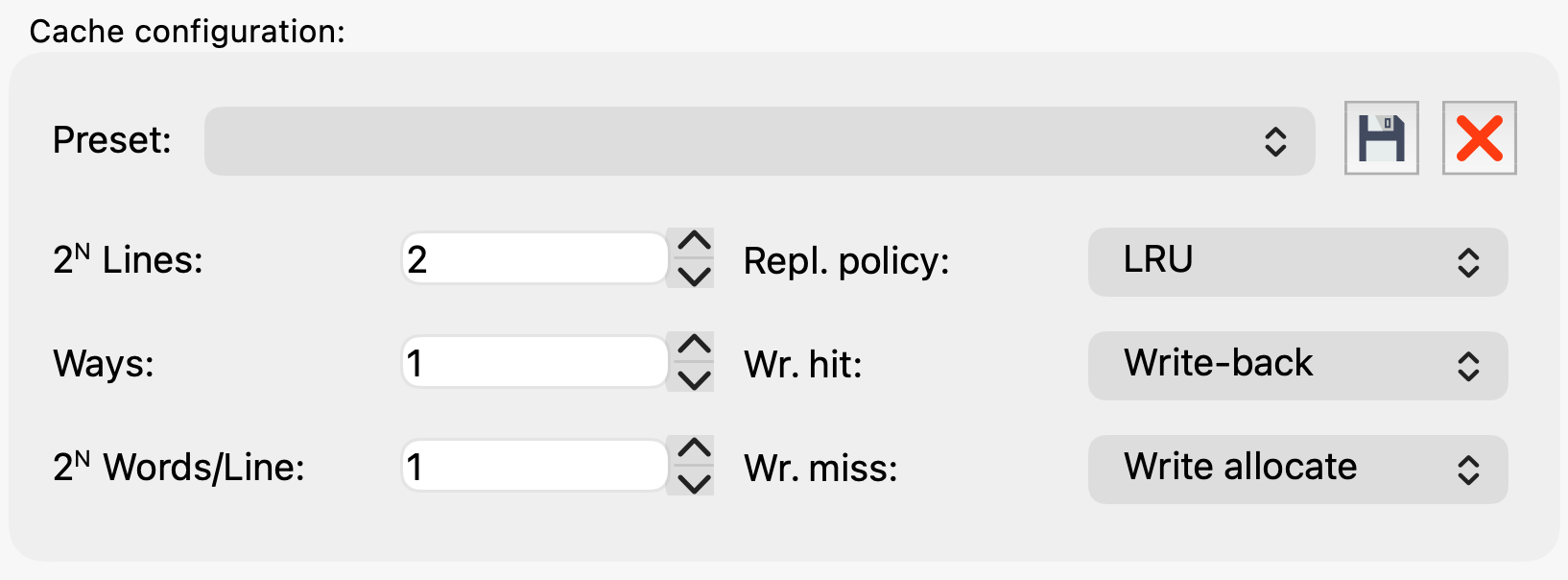
Figure 8.5: Cache configuration parameters in Ripes.
Key parameters:
- Sets: number of sets
- Ways: associativity
- Words per Line: words per cache line (block size)
Typical mappings (let be number of blocks and be associativity):
| Mapping | Sets | Ways | Words/Line |
|---|---|---|---|
| Direct-mapped | 1 | ||
| -way set-assoc | |||
| Fully assoc | 0 |
Table 8.1: Typical Ripes cache parameter settings for common mappings (block size chosen as needed).
Cache View
Section titled “Cache View”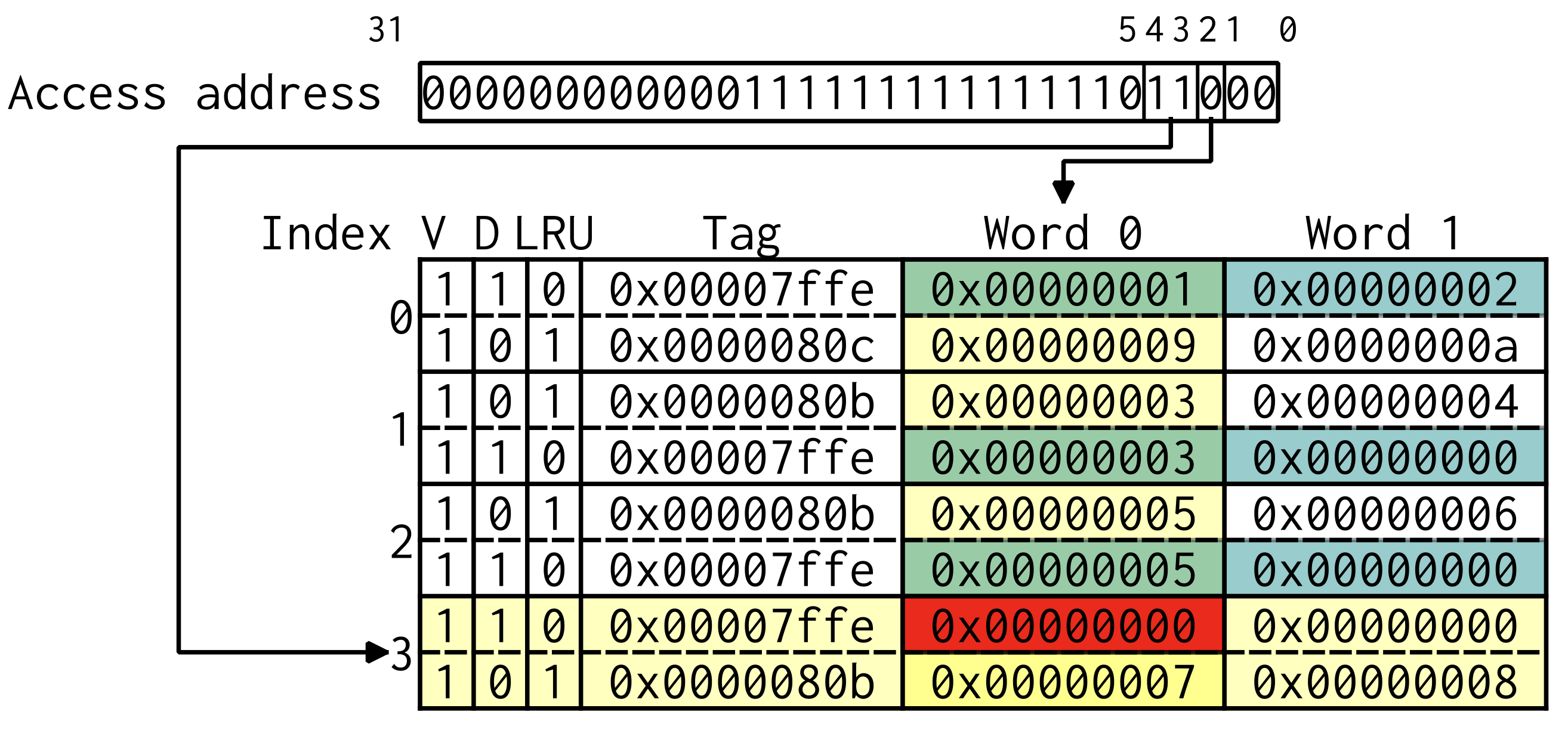
Figure 8.6: Ripes Cache View.
Cache View shows sets/ways/lines and state bits:
- V (valid)
- D (dirty, for write-back)
- Tag
- Words in the line
When using LRU with associativity > 1, an LRU field appears to indicate relative recency.
Ripes highlights accesses:
- yellow: candidate lines in the indexed set
- green: hit
- red: miss
- blue: dirty line (write-back)
Hovering shows the corresponding memory address; clicking can locate it in the memory view.
Statistics and plots
Section titled “Statistics and plots”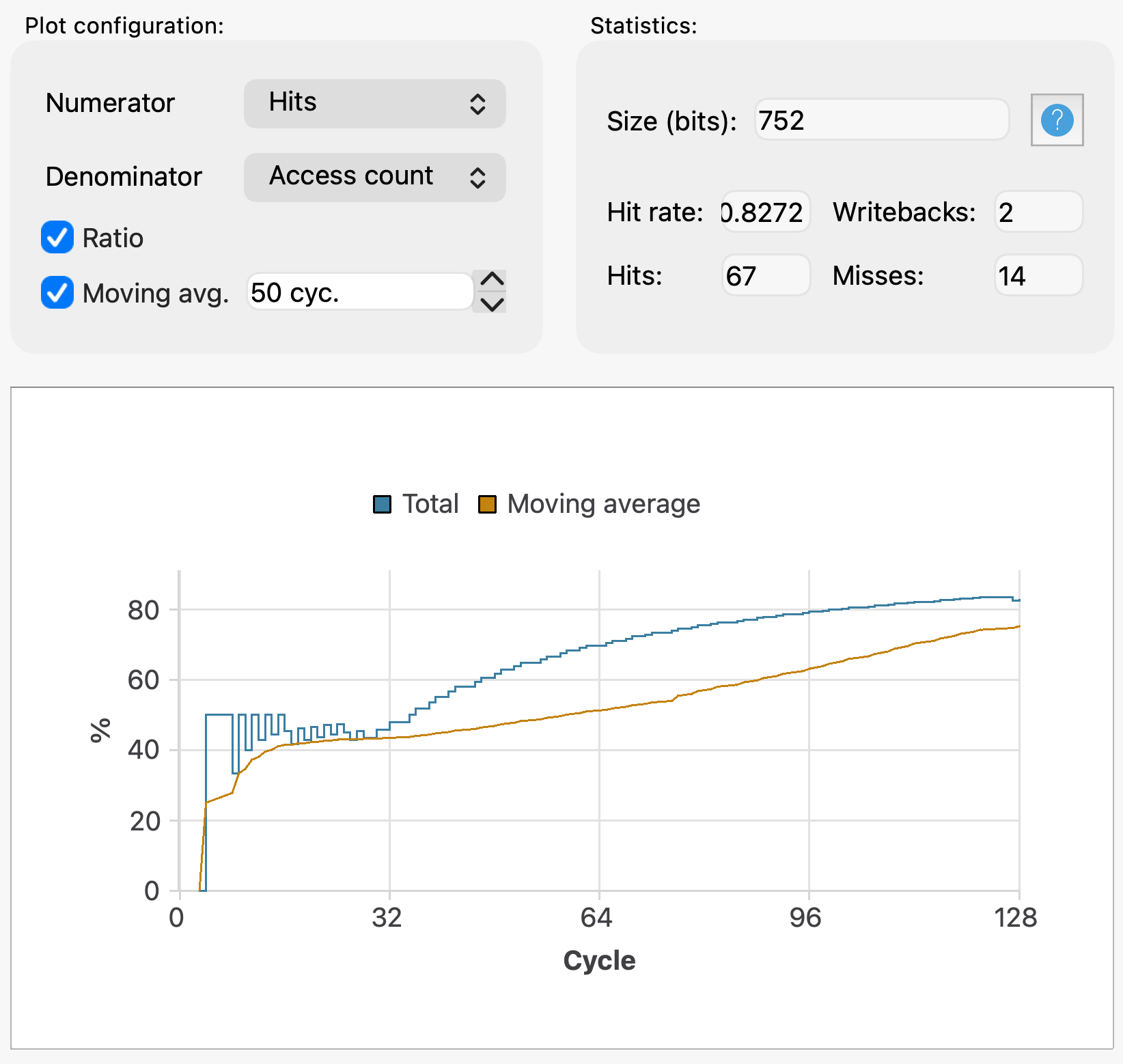
Figure 8.7: Cache statistics and plotting in Ripes.
Common counters:
- Reads, Writes
- Hits, Misses
- Writebacks (write-back mode)
- Access count
You can plot ratios such as Hit rate = Hits / Access count (optionally with moving average).
Experiment: Cache mapping behavior
Section titled “Experiment: Cache mapping behavior”Objectives
Section titled “Objectives”- Observe behavior under different mappings.
- Compare hit rates under direct-mapped / set-assoc / fully-assoc.
- Understand the impact of words/line and associativity.
Environment
Section titled “Environment”- Simulator: Ripes
- CPU model: Single-Cycle Processor
Task 1: Sequentially read 128 integers
Section titled “Task 1: Sequentially read 128 integers”Program:
    li   t0, 0    li   t1, 128
loop:    lw   t2, 0(t0)    addi t0, t0, 4    addi t1, t1, -1    bnez t1, loop
end:    j    end
Run with:
- Words/Line = 1 and 2
- For each block size:
- direct-mapped (total 64 words)
- 2-way set-assoc (total 64 words)
- fully-assoc (total 8 words)
Record hit rate and observe fills/evictions.
Task 2: Two-phase access patterns
Section titled “Task 2: Two-phase access patterns”Use the two-phase program from the manual (phase 1: repeated range; phase 2: alternating two ranges). Vary Words/Line = 2 and 4 and compare mappings.
Results
Section titled “Results”- Hit-rate statistics for both tasks and all configurations.
- Hit-rate curve for Task 2.
- At least one Cache View screenshot explaining a representative hit/miss behavior.
Questions
Section titled “Questions”- In Task 1 with Words/Line = 1, why might the hit rate be 0 for sequentially reading 128 integers?
- Must Ways be a power of two? Why?
- Why does increasing Words/Line change hit rate in Task 1?
- How do phase 1 and phase 2 differ, and how is that reflected in hit-rate curves?